
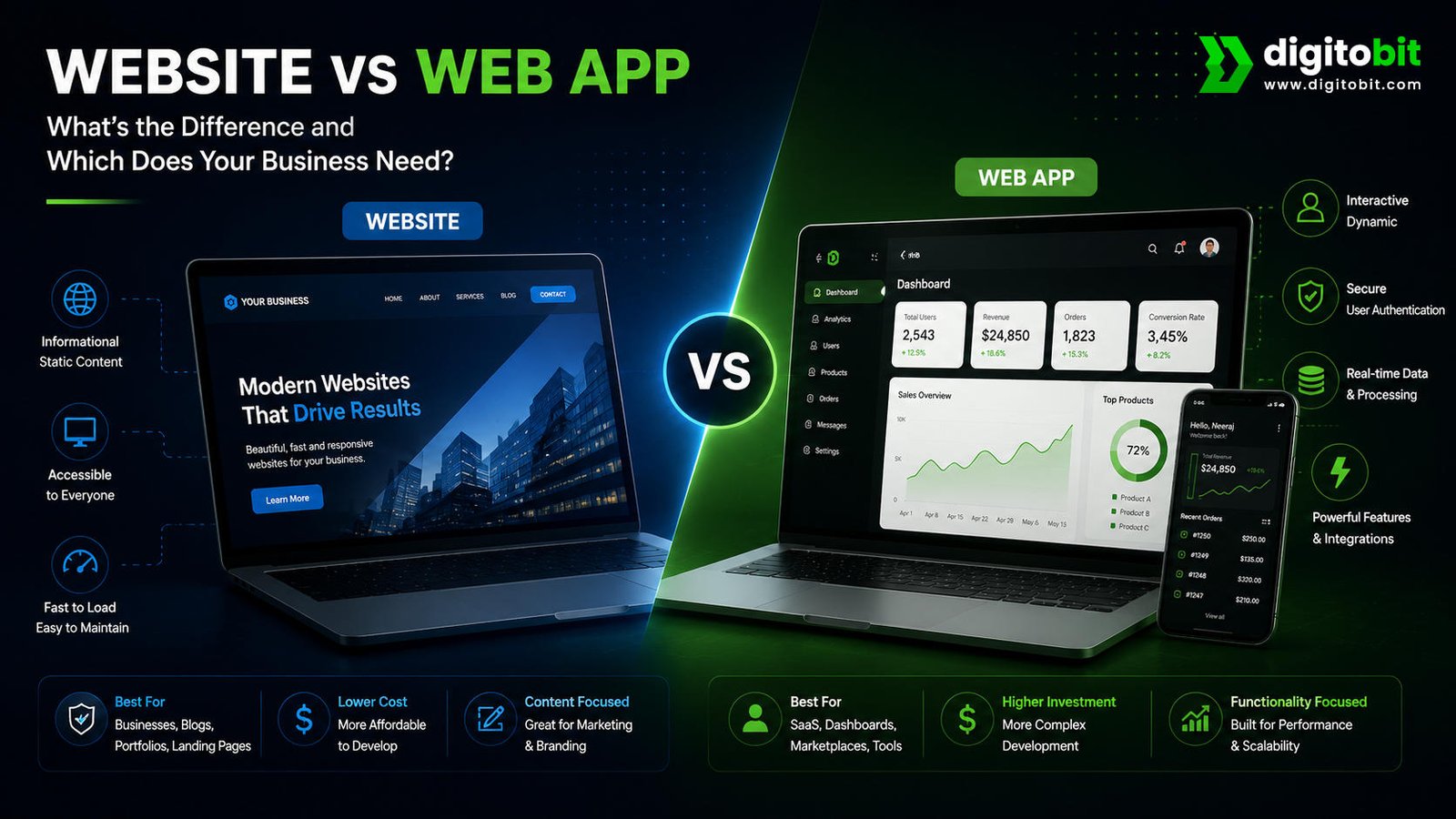
Should your business invest in a traditional website or build a web app? It is an important question, especially when your digital platform is expected to do more than simply display information. Choosing the wrong option can mean spending more money than necessary, delaying your launch, or ending up with a digital product that does not actually solve your customers’ problems.
The good news is that the decision does not have to be complicated. The key is to understand what your customers need to do when they visit your digital platform. If they mainly need to discover your business, understand your services, read information, view products, or contact you, a website may be the right solution. If they need to log in, manage information, complete workflows, interact with data, or use personalized features, a web app may make more sense.
In this guide, we will explain the difference between a website and a web app in simple business terms. You will learn how each option works, where each one delivers the most value, what factors affect development complexity, and how to decide which solution is appropriate for your business.
Most importantly, the goal is not to choose the more technically advanced option. A web app is not automatically better than a website, just as a website is not automatically the cheaper or smarter choice. The right solution depends on your business model, customer journey, functionality, budget, and long-term growth plans.
Think of the decision this way: a website helps people understand and engage with your business, while a web app helps people accomplish specific tasks through your business. There can be overlap between the two, but this distinction provides a useful starting point.
Table of Contents
- Quick Answer: Website vs Web App
- What Is a Website?
- What Is a Web App?
- Website vs Web App: Key Differences
- Website vs Web App Comparison Table
- Benefits of a Website
- Benefits of a Web App
- Website Limitations
- Web App Limitations
- Website vs Web App: Cost and Development Time
- Website vs Web App for Different Business Types
- Real-World Examples
- When Should You Choose a Website?
- When Should You Choose a Web App?
- Can a Website Become a Web App?
- Website vs Web App vs SaaS
- Simple Website vs Web App Decision Checklist
- Final Verdict: Website or Web App?
- Ready to Build the Right Digital Solution?
- Frequently Asked Questions
Quick Answer: Website vs Web App
The simplest way to understand the difference between a website vs web app is to look at the primary purpose of each platform.
Website
A website is primarily designed to provide information, establish credibility, attract visitors, and encourage actions such as contacting a business, requesting a quote, making a purchase, or booking a service.
- Best for business information and online presence
- Strong foundation for SEO and organic traffic
- Useful for lead generation and conversions
- Generally simpler to build and maintain
Web App
A web app is an interactive software application that runs through a web browser. It allows users to perform tasks, work with information, manage accounts, complete workflows, and access personalized functionality.
- Best for interactive customer experiences
- Useful when users need accounts or dashboards
- Can manage data, workflows, and complex processes
- Usually requires more development and maintenance
For example, imagine a company that sells professional consulting services. Its customers may want to learn about the services, read case studies, understand pricing, view testimonials, and submit an enquiry. A well-designed business website can handle these needs effectively.
Now imagine an online platform where customers need to create accounts, upload documents, track projects, view personalized information, communicate with a team, generate reports, or manage subscriptions. That type of experience is much closer to a web application because the user is not simply consuming information—they are actively using a software system.
There is also a middle ground. A website can include advanced features such as online booking, e-commerce, customer portals, calculators, forms, or membership functionality. This is why the website vs web application comparison should not be treated as a rigid technical classification. The important question is what functionality your customers actually need.
| Factor | Website | Web App |
|---|---|---|
| Primary purpose | Inform, attract, and convert visitors | Let users perform tasks and interact with data |
| User interaction | Usually low to moderate | Usually high |
| Login | Often optional | Often required |
| Database | May be simple or unnecessary | Often central to the application |
| Personalization | Usually limited | Often extensive |
| Complexity | Generally lower | Generally higher |
So, which one should your business choose? If your immediate goal is to establish a credible online presence, rank in search engines, educate prospects, and generate leads, start with a website. If your business needs customers or employees to repeatedly perform actions inside a browser-based system, consider a web app.
The decision becomes even clearer when you map the customer journey. Ask yourself: What does the visitor need to accomplish after arriving? If the answer is “understand our business and contact us,” a website is usually appropriate. If the answer is “log in and complete a multi-step process,” you are likely moving toward web app territory.
What Is a Website?
A website is a collection of web pages that people access through a browser. If you want to understand the technical foundations behind websites, MDN’s guide to how the web works explains how browsers, servers, and web resources work together. Its primary job is usually to present information, communicate a brand message, showcase products or services, answer customer questions, and guide visitors toward a desired action.
For a business, that action might be submitting a contact form, calling a sales team, booking an appointment, requesting a quotation, purchasing a product, signing up for a newsletter, or visiting a physical location.
Business websites can take many forms. A small company may need only a few pages covering its services, about information, contact details, and testimonials. A larger company may have hundreds or thousands of pages containing product information, resources, case studies, documentation, location pages, and educational content.
One of the biggest advantages of a website is its role as a long-term digital business asset. Unlike relying exclusively on a social media profile or third-party platform, a website gives a business greater control over its branding, content structure, customer journey, search visibility, and conversion experience.
How a Website Supports Business Growth
A modern business website should not simply exist online. It should have a clear commercial purpose. When planned correctly, it can work as a digital sales and marketing asset that supports the business around the clock.
- Build credibility: A professional website gives potential customers a central place to understand who you are, what you offer, and why they should trust your business.
- Generate organic traffic: Search-optimized pages can help your business become discoverable when potential customers search for relevant products, services, problems, and solutions.
- Generate leads: Strategic calls to action, forms, landing pages, service pages, and contact options can turn visitors into potential customers.
- Educate prospects: Blogs, guides, case studies, FAQs, and service content can answer questions before a prospect speaks with your sales team.
- Control the customer journey: Your website allows you to organize information and calls to action around the specific journey you want visitors to take.
For SEO, a website can also provide a strong foundation for building topical authority. Businesses should follow Google’s SEO best practices when creating useful content and organizing pages for search engines. Businesses can create dedicated pages around their services and publish useful content targeting questions their potential customers are already searching for. Over time, this can create multiple entry points through organic search.
Common Examples of Websites
- Corporate and business websites
- Professional service websites
- Portfolio websites
- Blogs and publishing websites
- Marketing and landing-page websites
- Product and service websites
- Informational websites
- Many e-commerce websites
However, the presence of advanced features does not automatically turn a website into a completely separate type of product. For example, an e-commerce website may allow customers to search products, add items to a cart, make payments, and track orders. Depending on its architecture and functionality, it can contain substantial application-like functionality while still serving as the primary public-facing website for the business.
This is why businesses should avoid choosing technology based only on labels. Start with the customer problem. Determine what information customers need, what actions they need to perform, what data must be stored, whether accounts are required, and how frequently customers will interact with the platform.
If most of the experience revolves around discovering information and taking straightforward conversion actions, a website can often deliver excellent value without the additional complexity of a full web application.
On the other hand, if the experience requires personalized dashboards, user accounts, complex workflows, data management, or repeated interactions, the business may need to move beyond a conventional website. That brings us to the next stage of the comparison: what exactly is a web app, and when does your business actually need one?
What Is a Web App?
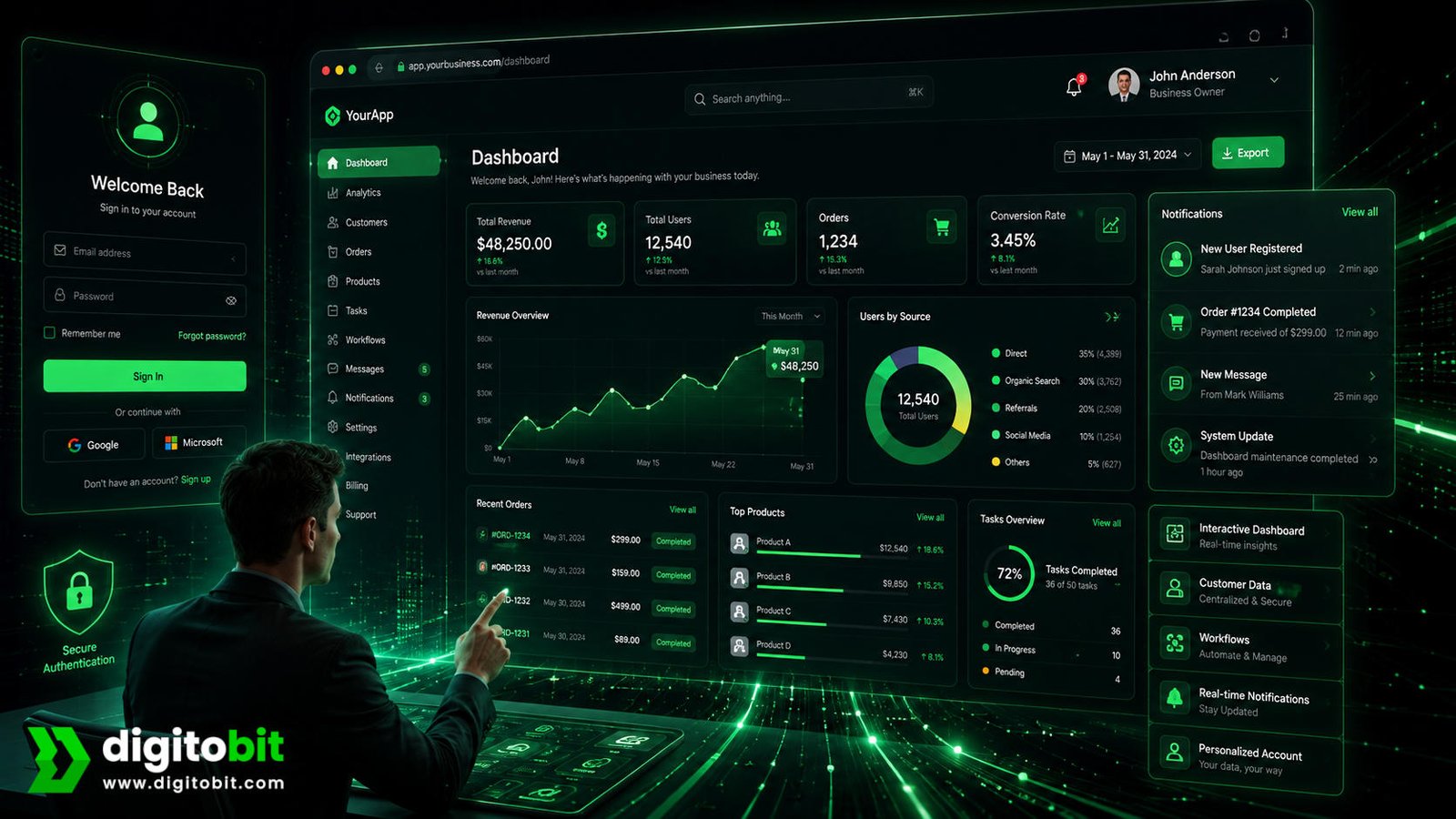
A web app, or web application, is an interactive software application that runs through a web browser. Unlike a traditional website that primarily presents information, a web app is designed to help users perform tasks, manage information, or complete specific workflows online.
For example, a customer might use a web app to log in to an account, manage a subscription, upload documents, track an order, create a project, generate a report, make a booking, or communicate with other users. The browser provides the interface, while the application processes information and responds to user actions.
This makes a web application fundamentally more interactive than a basic informational website. Users are not simply reading content. They are actively using the platform to accomplish something.
Common Examples of Web Apps
- Customer dashboards and portals
- Online booking and scheduling systems
- Project and task management platforms
- Online banking and financial platforms
- Business management systems
- SaaS applications
- Employee and partner portals
- Custom dashboards and reporting tools
A web app is particularly valuable when the business needs to give different users different experiences. A customer may see their orders and account details, while an administrator may see sales data, customer records, and management controls. This level of personalization is one of the major reasons businesses choose web application development.
However, a web app generally requires more planning than a standard website. Authentication, databases, user permissions, application logic, integrations, security, testing, and ongoing maintenance can all become important parts of the project.
Website vs Web App: Key Differences
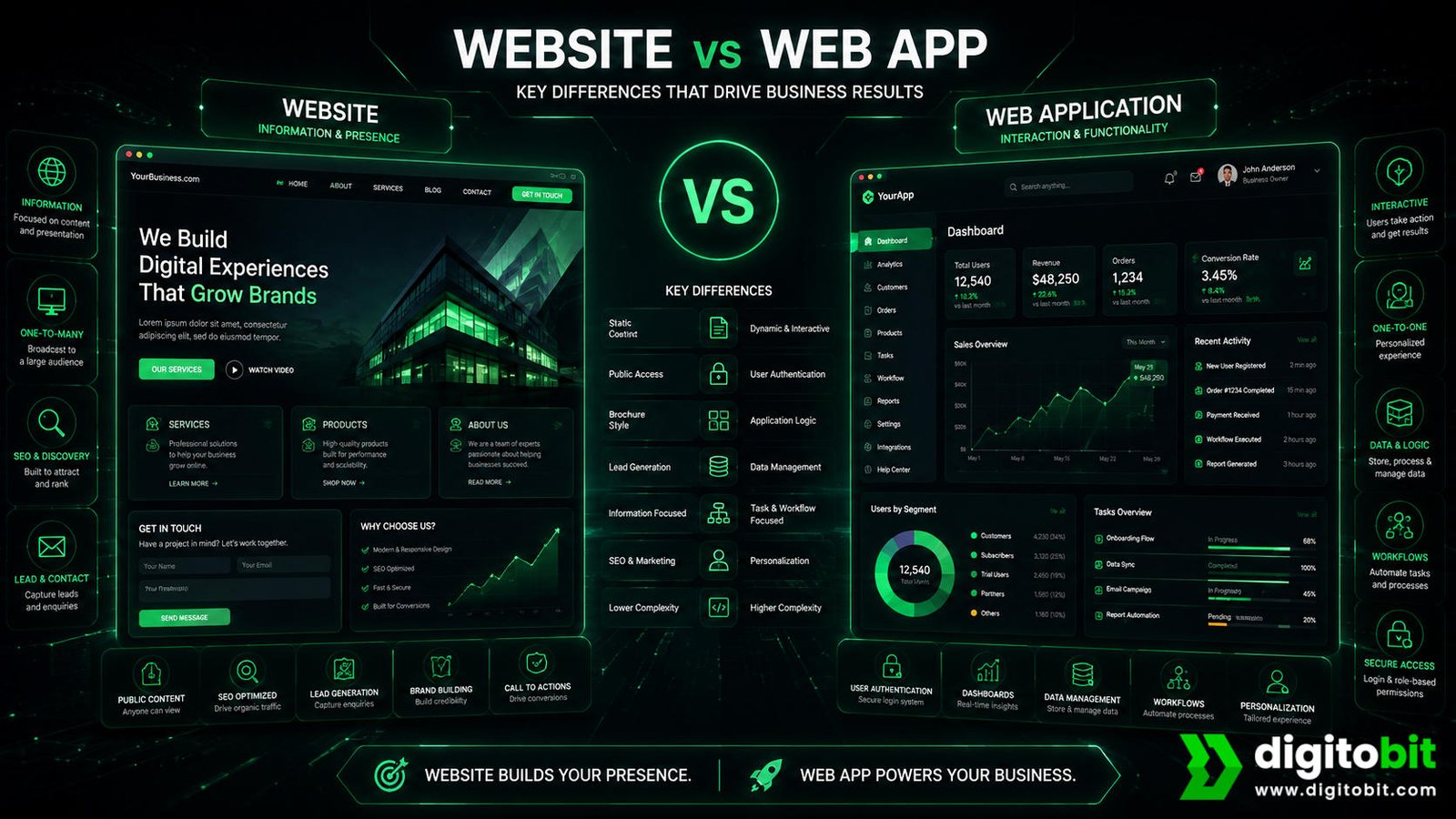
The biggest difference between a website and a web app is not simply how they look. Both can be accessed through a browser and both can have modern, interactive designs. The more useful distinction is what the user is expected to accomplish.
A website generally focuses on communicating information and driving visitors toward an action. A web app focuses on enabling users to complete tasks through an interactive system.
Purpose and User Experience
A website is usually built around a visitor journey. Someone lands on a page, discovers information, evaluates the business, and takes an action such as contacting the company or making a purchase. The content and design are therefore closely connected to marketing, branding, SEO, and conversion.
A web app is built around a user journey. The user enters the system and performs tasks. That may involve multiple screens, forms, records, permissions, notifications, calculations, or workflows. The interface needs to make those tasks efficient and reliable.
Regardless of the platform, accessible navigation, readable content, and usable controls are important; the W3C Web Content Accessibility Guidelines (WCAG) provide guidance for making web experiences more accessible.
Interaction and Personalization
Websites can certainly be interactive. Contact forms, calculators, search functions, booking forms, product filters, and e-commerce features are common examples. However, web apps typically take interaction much further by storing user information and adapting the experience to individual users.
For example, a service website may show a general booking form. A web application could allow a logged-in customer to view previous appointments, change upcoming bookings, manage payment details, receive reminders, and access personalized information.
Data and Business Logic
Another major difference is the role of data. A standard website can operate with relatively simple content management. A web app often depends heavily on databases and application logic to process information and return personalized results.
This additional functionality can create more value, but it also increases development complexity. Businesses should therefore choose a web app when the additional functionality solves a real customer or operational problem—not simply because it sounds more advanced.
Website vs Web App Comparison Table
The following comparison gives business owners a quick way to understand where websites and web apps typically differ.
| Factor | Website | Web App |
|---|---|---|
| Primary goal | Information, branding, marketing, and conversions | Interactive tasks, workflows, and personalized services |
| User accounts | Usually optional | Often important |
| Interactivity | Low to moderate | Moderate to high |
| Personalization | Usually limited | Often extensive |
| Database dependency | Low to moderate | Usually high |
| SEO importance | Usually very high | Often secondary to application functionality |
| Development complexity | Generally lower | Generally higher |
| Typical cost | Lower for comparable scope | Higher because of functionality |
| Best business use | Generate awareness, traffic, and leads | Deliver tools, services, workflows, and user experiences |
These differences are useful guidelines, not absolute rules. Modern websites can include sophisticated functionality, while some web apps also contain public marketing pages that function like traditional websites.
For a business owner, the practical question is therefore not “Which technology is better?” The better question is “Which functionality does my business actually need today, and what will it need as it grows?”
Benefits of a Website
A professional website remains one of the most important digital assets for businesses that need visibility, credibility, and a reliable source of leads. It can provide a strong foundation without requiring the complexity of a custom web application.
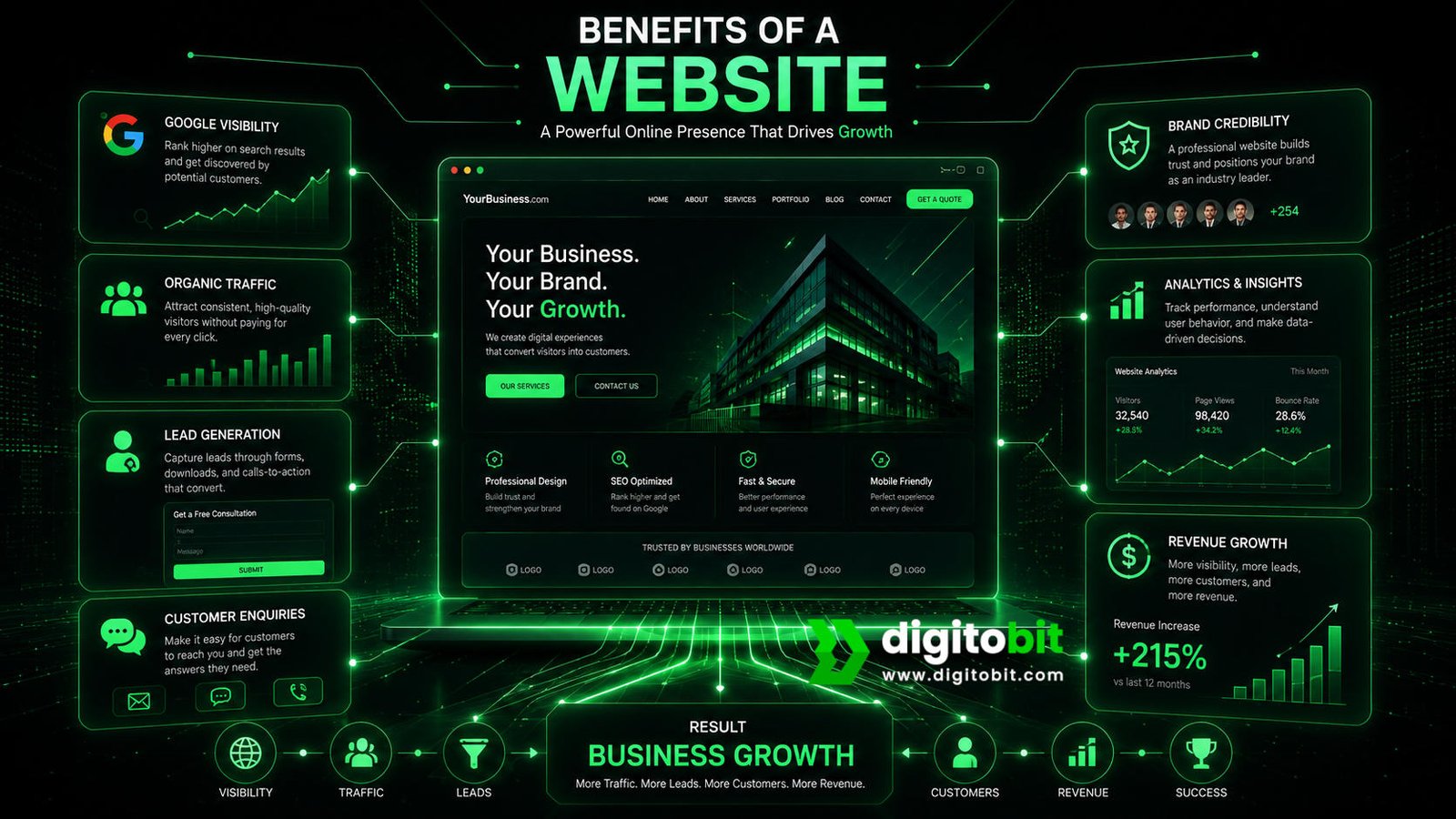
Better Online Visibility
- Supports search engine optimization
- Creates pages for specific customer searches
- Builds long-term organic visibility
Strong Conversion Potential
- Dedicated landing pages
- Clear calls to action
- Lead forms and enquiry options
1. Build Credibility
Before contacting a company, potential customers often want to know whether the business is legitimate, experienced, professional, and capable of solving their problem. A well-structured website gives them a central destination where they can evaluate the business.
2. Support SEO and Organic Growth
A website gives a business the structure needed to create search-focused service pages, educational content, location pages, case studies, and other resources. This can help attract people who are actively searching for solutions related to the business.
3. Generate Leads
A website can turn traffic into measurable business opportunities through contact forms, consultation requests, calls, quote forms, product purchases, and other conversion paths. This makes the website more than an online brochure; it can become part of the sales process.
4. Provide Greater Brand Control
Businesses have significantly more control over their own website experience than they do over a third-party social platform. Branding, navigation, messaging, page structure, content, calls to action, and conversion paths can all be designed around business goals.
For many small and medium-sized businesses, these benefits make a website the logical first investment. It can establish the digital foundation before the company commits to more complex application functionality.
Benefits of a Web App
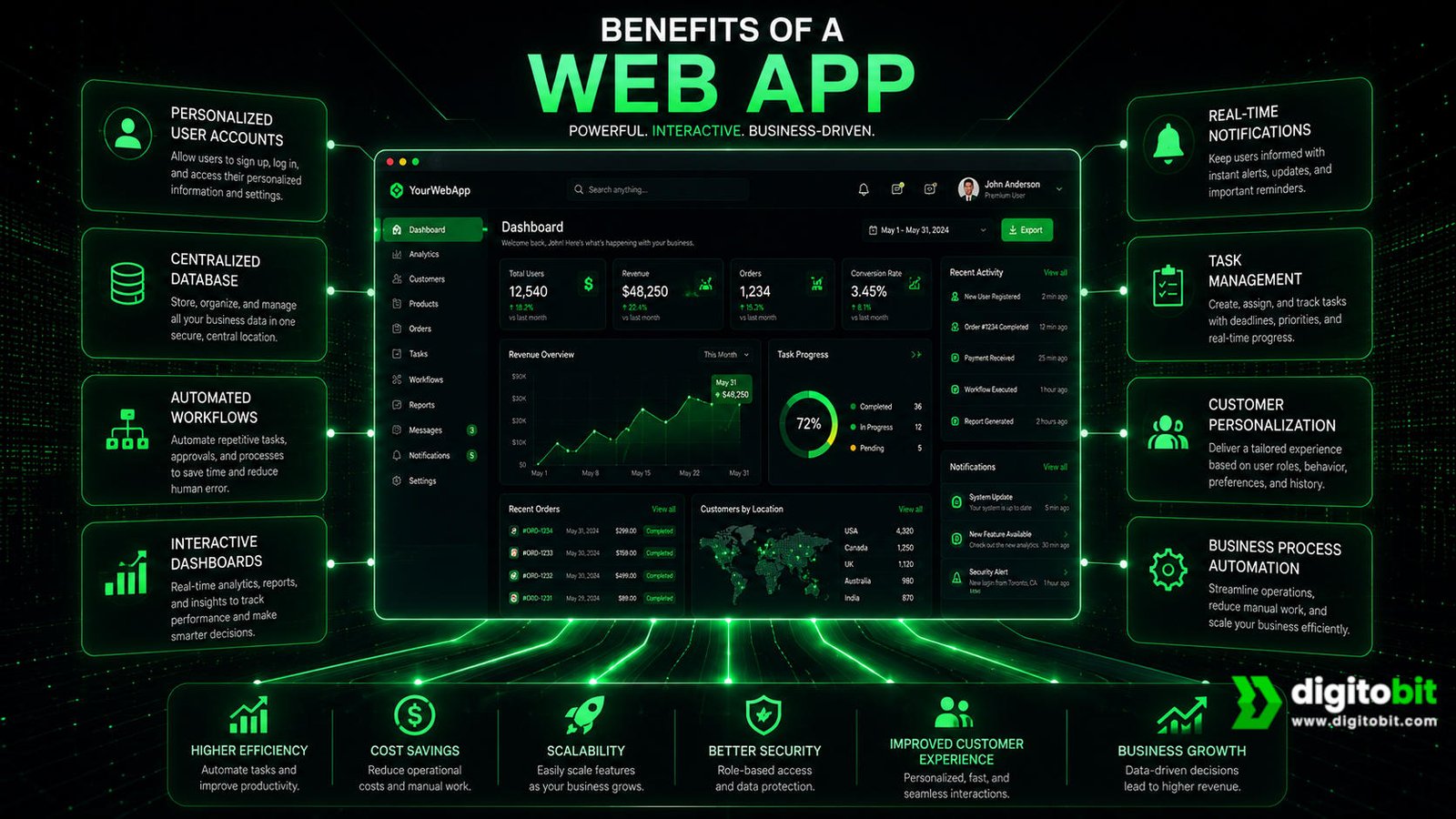
Web apps become especially valuable when a business needs to deliver functionality rather than simply information. Instead of asking customers to visit a page and read content, the business can give them a tool they actively use.
This can create a stronger customer experience and, in some business models, become the core product itself.
Personalized User Experiences
Web applications can recognize individual users and present information relevant to their accounts. A customer portal might display account information, previous activity, current orders, invoices, messages, or recommendations after login.
Complex Workflows
If your customers need to complete several connected steps, a web app can coordinate those processes. For example, a platform could allow a customer to create a request, upload documents, make a payment, receive an approval, and track progress from a single dashboard.
Centralized Data
Web applications can bring information together in one place. This can be valuable for businesses that need customers, employees, partners, or administrators to work with shared records and structured data.
Automation and Efficiency
A custom web app can automate repetitive processes that would otherwise require manual work. Depending on the business, this might include generating reports, assigning tasks, processing requests, updating records, sending notifications, or integrating information from different systems.
For a growing business, this can have a direct operational benefit. Instead of adding manual work every time customer volume increases, the business can use software to handle repeatable processes more efficiently.
When These Benefits Matter Most
A web app is most valuable when its functionality directly supports the business model. For example, a software company may sell access to the application itself. A logistics company may use a web platform to manage shipments. A service company may give customers a portal for scheduling and communication.
The important point is that web app functionality should have a clear purpose. Building dashboards, accounts, and complex workflows without a genuine business requirement can increase development costs without creating meaningful additional value.
Website Limitations
Although a website is often the right starting point for a business, it is not the ideal solution for every digital requirement. Its limitations become more noticeable when users need complex interactions, personalized experiences, or ongoing access to business data.
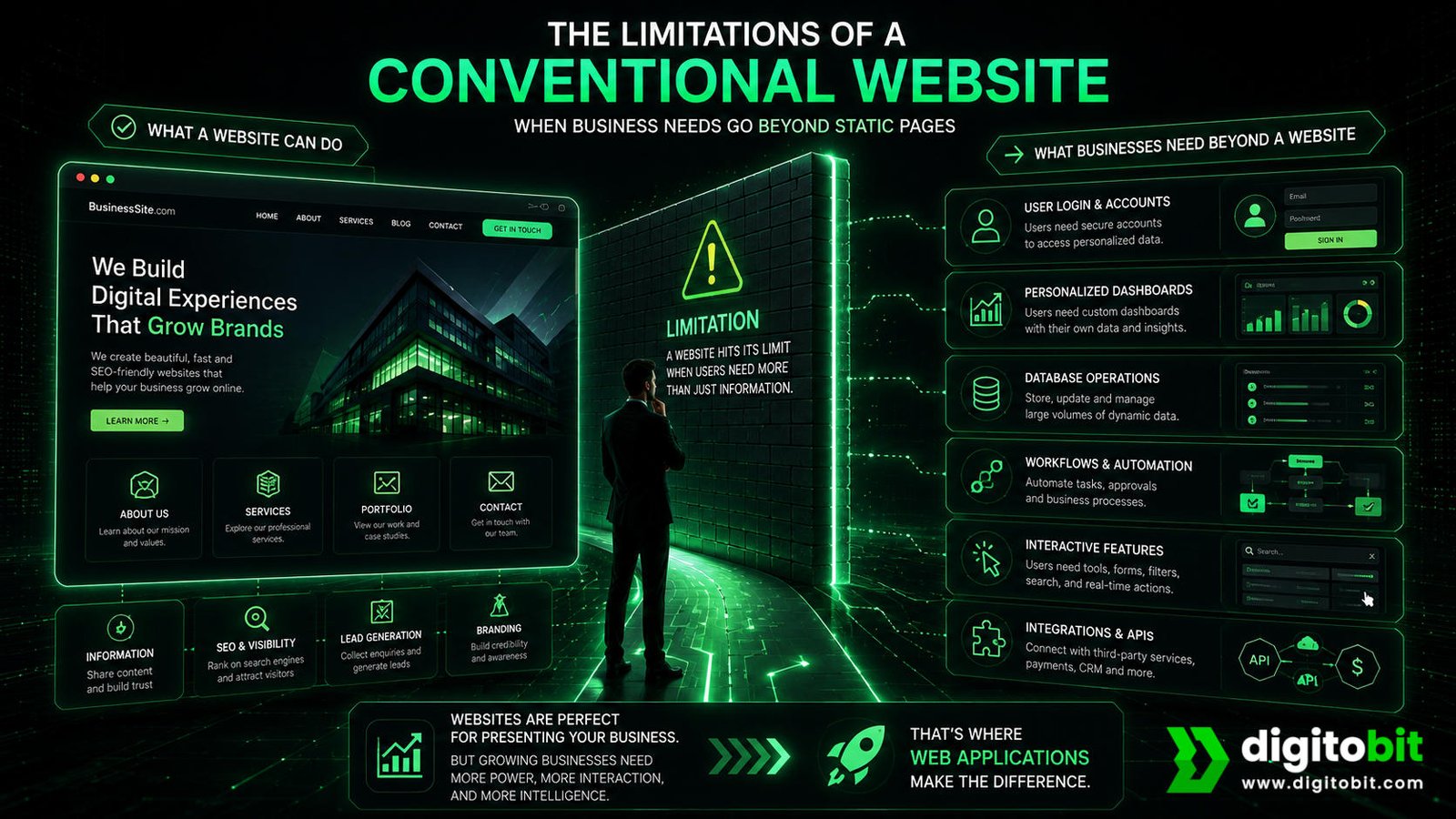
- Limited personalization: A standard website may struggle to provide highly personalized experiences for different users.
- Complex workflows can become difficult: Processes involving multiple steps, permissions, and data relationships may require application-level functionality.
- Advanced data management may require additional systems: If users need to create, edit, track, and manage large amounts of structured information, a basic website may not be sufficient.
- Automation can be limited: Complex business processes may require custom application logic or integrations beyond standard website functionality.
These limitations do not mean that websites are outdated or incapable of handling advanced features. Modern websites can support e-commerce, bookings, payments, membership systems, search, personalization, and many other functions. The distinction is about the depth and centrality of the application logic.
For example, adding a booking form to a service website does not automatically mean the entire platform needs to become a custom web app. But if the business requires users to manage recurring bookings, update profiles, store documents, communicate with staff, manage payments, and track service history from a personalized dashboard, a web application may be a better long-term architecture.
The smartest approach is therefore to avoid overbuilding. Start by identifying the minimum functionality needed to create customer and business value. If a website can accomplish the goal effectively, it may provide a better return with less complexity. If the requirements demand a true interactive software experience, a web app becomes easier to justify.
Web App Limitations
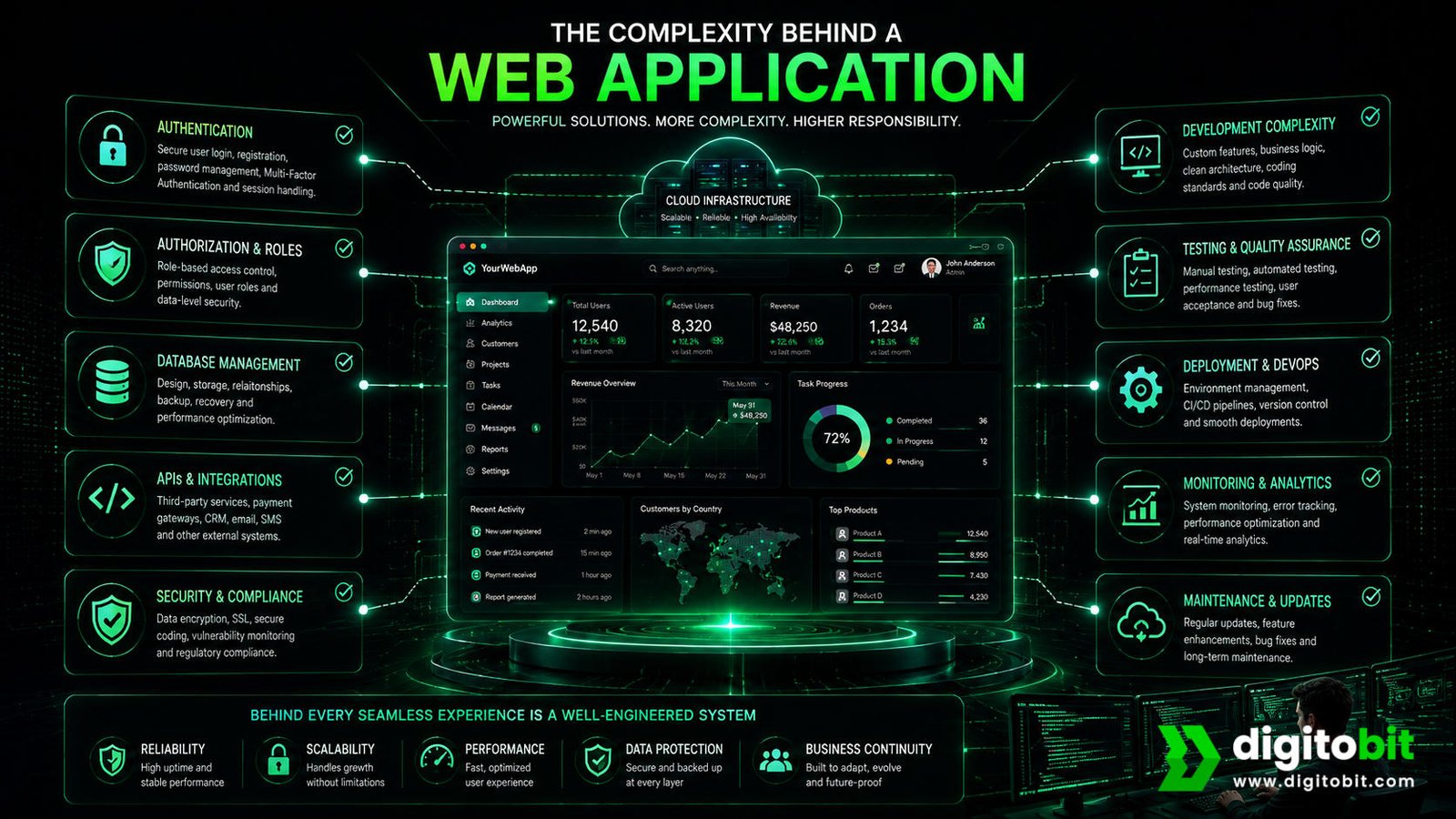
Web applications can deliver powerful functionality, but that functionality comes with additional complexity. A web app is not automatically the better choice simply because it offers more features. For many businesses, building an application before there is a genuine need can increase development costs, maintenance requirements, and project timelines without producing a proportional business benefit.
- Higher development complexity: Authentication, databases, permissions, workflows, APIs, and application logic can require significantly more planning than a standard website.
- Higher development cost: More functionality generally means more design, development, testing, security, and infrastructure work.
- Ongoing maintenance: Applications require regular monitoring, updates, bug fixes, security improvements, and performance management.
- Longer development timelines: Complex user journeys and integrations can make a web app take considerably longer to plan and launch.
- Security requirements: Applications handling accounts, payments, personal information, or business data need appropriate security controls and ongoing attention. The OWASP Application Security Verification Standard provides a framework for evaluating application security requirements and controls.
Another consideration is usability. A web application may have dozens of features, but adding more functionality does not necessarily create a better customer experience. If users struggle to understand the interface or complete basic tasks, the additional technology can actually create friction.
For this reason, businesses should treat web application development as an investment that needs a clear business case. If the application saves employees time, creates a new revenue stream, improves customer retention, or delivers a service that cannot be provided effectively through a standard website, the additional complexity can be worthwhile.
Website vs Web App: Cost and Development Time
Cost is one of the most important factors when comparing a website vs web app, but there is no single price that applies to every project. The final investment depends on the scope, functionality, design requirements, integrations, content, technology, security, and ongoing maintenance.
In general, a straightforward business website will cost less and take less time to build than a custom web application with user accounts, databases, dashboards, workflows, and integrations. However, comparing prices without comparing functionality can lead to misleading conclusions.
| Cost Factor | Website | Web App |
|---|---|---|
| Design | Pages, layouts, branding, responsive design | Interfaces, dashboards, workflows, user states |
| Development | Generally simpler | More application logic and functionality |
| Database | May be limited | Often a major component |
| Authentication | Usually optional | Often required |
| Integrations | Usually fewer | Can involve multiple APIs and external systems |
| Testing | Generally simpler | More extensive due to workflows and user roles |
| Maintenance | Generally easier | More ongoing technical management |
For a website, the major cost drivers may include the number of pages, custom design, content creation, SEO requirements, CMS setup, e-commerce functionality, and integrations. A small service website can therefore be relatively straightforward, while a large e-commerce platform can become significantly more complex.
For a web app, the cost calculation usually expands to include user roles, authentication, database architecture, application workflows, dashboards, notifications, third-party APIs, payment processing, security, testing, analytics, and infrastructure.
The smarter approach is to start with the business outcome. If the goal is to generate leads and establish online credibility, investing heavily in custom application functionality may not be necessary. If the goal is to create a customer portal or software product, trying to force the requirements into a basic website may create limitations later.
Businesses should also consider the total cost of ownership rather than only the initial development price. Hosting, maintenance, updates, security, support, content, SEO, integrations, and future improvements can all affect the long-term investment.
Website vs Web App for Different Business Types
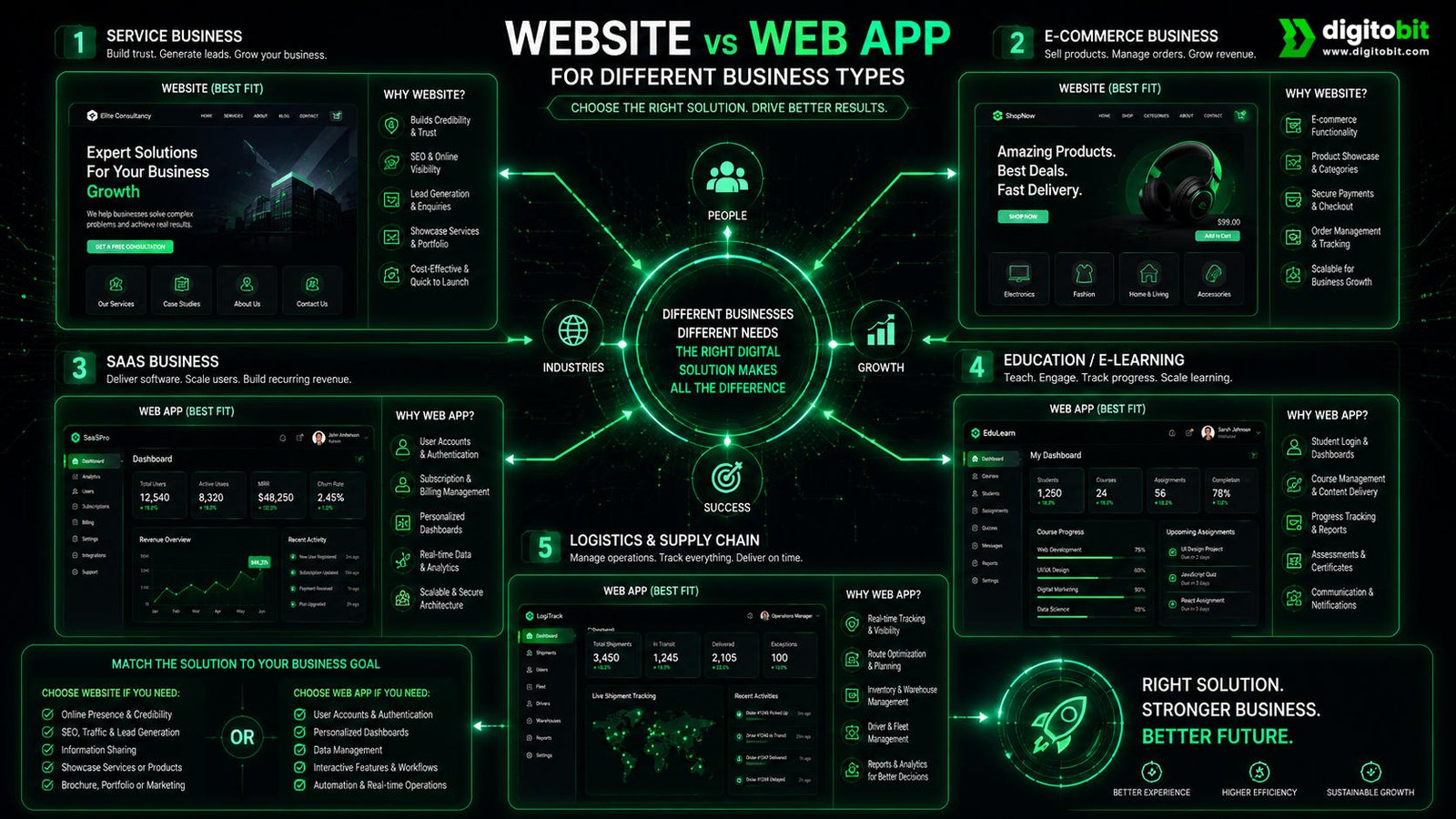
The right choice becomes easier when you look at what different businesses actually need from their digital platform. A local service provider, online retailer, software company, and logistics business may all need an online presence, but their requirements can be very different.
Service Businesses
Consultants, agencies, professional service providers, contractors, and local businesses often benefit from a conversion-focused website. Their primary goals are visibility, credibility, service education, enquiries, calls, and bookings.
Software Businesses
A SaaS company or software business usually needs a web app because the software itself is the product. Customers need accounts, personalized functionality, data management, and recurring access to the platform.
E-commerce businesses can fall into either category. A simple online store may operate effectively as a website with e-commerce functionality, while a large marketplace or highly personalized commerce platform may require much more application-level functionality.
Educational businesses may also need different solutions. A training company selling a few courses may need a marketing website and basic learning functionality. A large learning platform with student dashboards, progress tracking, assessments, certificates, subscriptions, and instructor management is much more likely to require a web application.
Logistics and operations businesses often benefit from web applications because employees, partners, and customers may need to interact with real-time information, schedules, orders, inventory, or delivery records.
The lesson is simple: choose the platform according to the workflow, not the industry label. Two companies in the same industry may require completely different digital solutions depending on their customers, processes, and growth strategy.
Real-World Examples
Looking at real-world scenarios makes the website vs web app distinction much easier to understand. The same business can even use both: a public-facing website can attract customers while a private web application can provide services after they sign in.
Example 1: Digital Marketing Agency
A digital marketing agency may primarily need a website containing service pages, case studies, testimonials, blog content, team information, and consultation forms. The objective is to educate potential clients and generate qualified leads. A full web app would not necessarily be required.
Example 2: Customer Management Platform
A company that allows customers to manage accounts, view transactions, submit requests, upload documents, and monitor progress would benefit from a web application. Users need personalized information and repeat access to interactive functionality.
Example 3: Online Store
An online store may start with product pages, categories, a shopping cart, checkout, and basic customer accounts. As the business grows, it may add personalization, advanced inventory systems, seller dashboards, order management, recommendations, loyalty programs, and integrations. At that point, application functionality becomes increasingly important.
Example 4: Appointment-Based Business
A salon, clinic, consultant, or service provider can often begin with a website containing services, information, testimonials, contact details, and an appointment form. If customers later need recurring appointments, account management, payment history, reminders, service records, and personalized dashboards, a web app or customer portal may be added.
These examples show that the decision does not always have to be permanent. A business can start with the simplest solution that solves the immediate problem and introduce application functionality when customer demand and business requirements justify it.
When Should You Choose a Website?
A website is usually the right choice when your primary objective is to establish an online presence, attract search traffic, educate prospects, showcase your products or services, and generate leads or straightforward transactions.
- You need a professional online presence.
- Your customers primarily need information before making a decision.
- SEO and Google visibility are important to your growth strategy.
- You want to generate enquiries, calls, or consultation bookings.
- You need landing pages, service pages, blogs, or case studies.
- Users do not need complex personalized dashboards.
- You want to launch quickly with a controlled budget.
For many small and growing businesses, this is the ideal starting point. A strong website can create measurable business value without introducing unnecessary technical complexity.
When Should You Choose a Web App?
A web app becomes the stronger choice when customers, employees, or partners need to repeatedly interact with a software system rather than simply consume information.
- Users need secure accounts and logins.
- Different users need different permissions or experiences.
- The platform needs to store and manage significant amounts of user data.
- Customers need dashboards or personalized information.
- Users must complete multi-step workflows.
- The business needs automation or complex application logic.
- The platform itself is part of the product or revenue model.
If several of these requirements apply, building a web app may provide a better long-term foundation. The additional investment can be justified when the application improves operations, creates recurring revenue, increases customer retention, or provides a service that a conventional website cannot deliver efficiently.
However, do not build a web app simply because your competitors have one. Start with the customer journey and business objective. The best digital product is the one that solves the right problem with the right level of complexity.
Can a Website Become a Web App?
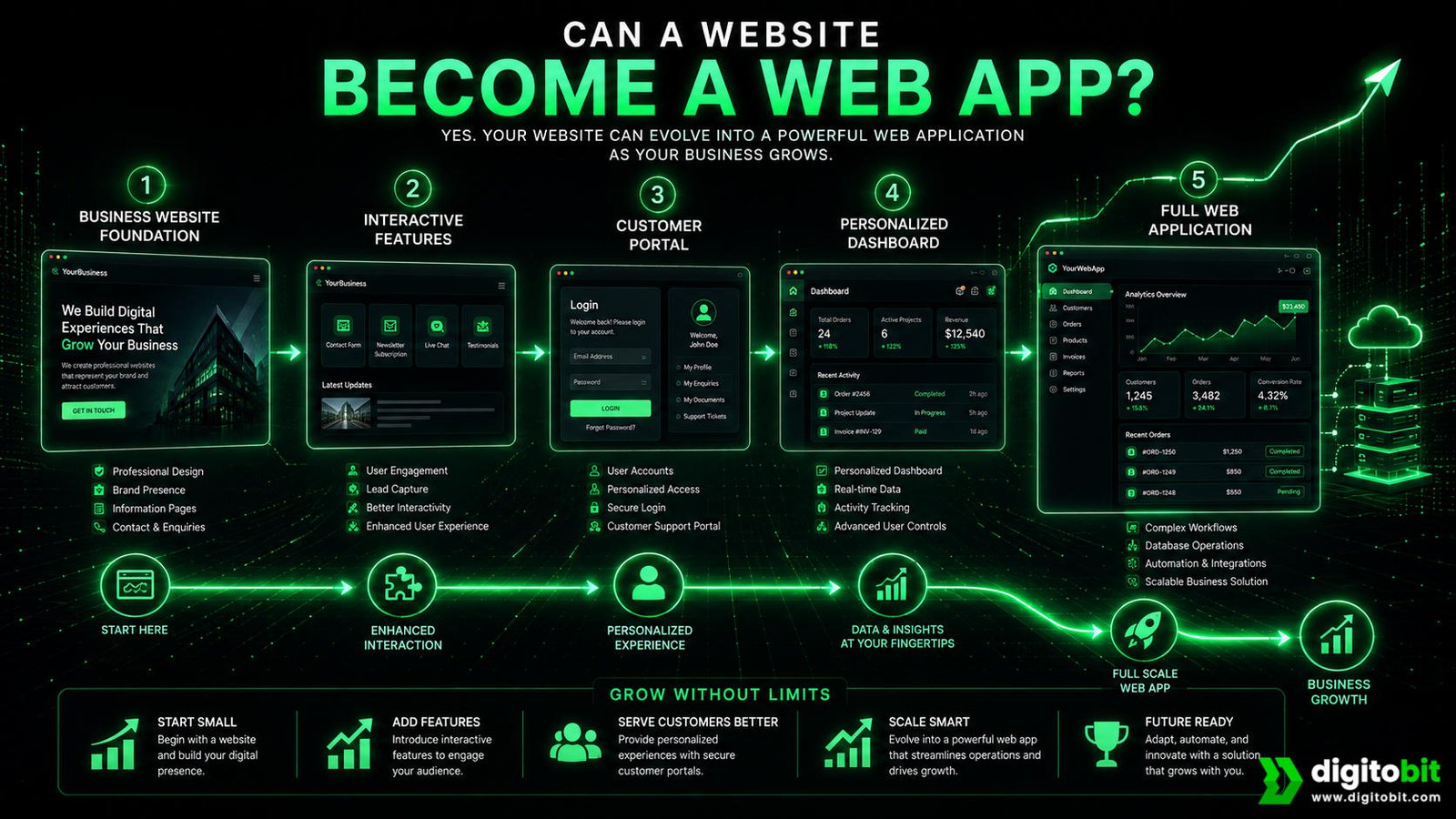
Yes. A business does not always have to choose between a website and a web app from day one. In many cases, a website can become the foundation for more advanced functionality as the business grows and customer requirements become clearer.
This is an important point for startups and growing businesses. You may not need to invest in a fully custom web application when you are still validating your business model. A well-planned website can establish your brand, generate traffic, collect leads, and help you understand what customers actually need.
A Practical Growth Path
- Stage 1 — Business website: Build your brand presence, service pages, content, SEO foundation, and lead-generation system.
- Stage 2 — Interactive features: Add booking systems, calculators, forms, product tools, search, payments, or other functionality customers need. Where appropriate, consider Progressive Web Apps (PWAs) to provide app-like capabilities through the browser.
- Stage 3 — Customer portal: Introduce accounts, personalized information, order history, documents, messages, or account management.
- Stage 4 — Web application: Expand into dashboards, workflows, automation, integrations, advanced data management, and role-based functionality.
This approach can reduce unnecessary upfront investment while keeping the business prepared for future growth. However, the architecture should still be planned carefully. If you already know that application functionality will become central to the business, your development team should consider that future direction from the beginning.
When Should You Plan for the Future?
Consider future scalability when you expect customers to create accounts, interact with stored information, manage subscriptions, access personalized dashboards, or use increasingly complex workflows. Even if these features are not part of the first release, knowing they are coming can influence technology, database, design, and development decisions.
The goal is not to build everything immediately. The goal is to avoid creating a foundation that makes future improvements unnecessarily difficult.
For example, a consulting company may initially need only a website and consultation booking system. If the company later launches a client portal where customers can view projects, approve deliverables, download reports, and communicate with consultants, that portal can be developed as an additional application layer around the existing digital experience.
This makes the website vs web app decision less about choosing one technology forever and more about choosing the right level of functionality for the current stage of the business.
Website vs Web App vs SaaS
Website, web app, and SaaS are often used together, but they describe different aspects of a digital product. Understanding the distinction is particularly useful for startups and businesses planning to build software as part of their revenue model.
A website is generally the public-facing digital presence of a business. It communicates information, builds credibility, attracts visitors, and encourages conversions.
A web app is an interactive software application accessed through a browser. Users can log in, manage data, complete tasks, and use personalized functionality.
SaaS, or Software as a Service, is primarily a business and delivery model in which customers access software as an ongoing service, commonly through a subscription or recurring payment.For businesses planning to commercialize software, Stripe’s guide to the SaaS business model provides additional context on building and operating a software-as-a-service business. A SaaS product can be delivered through a web application.
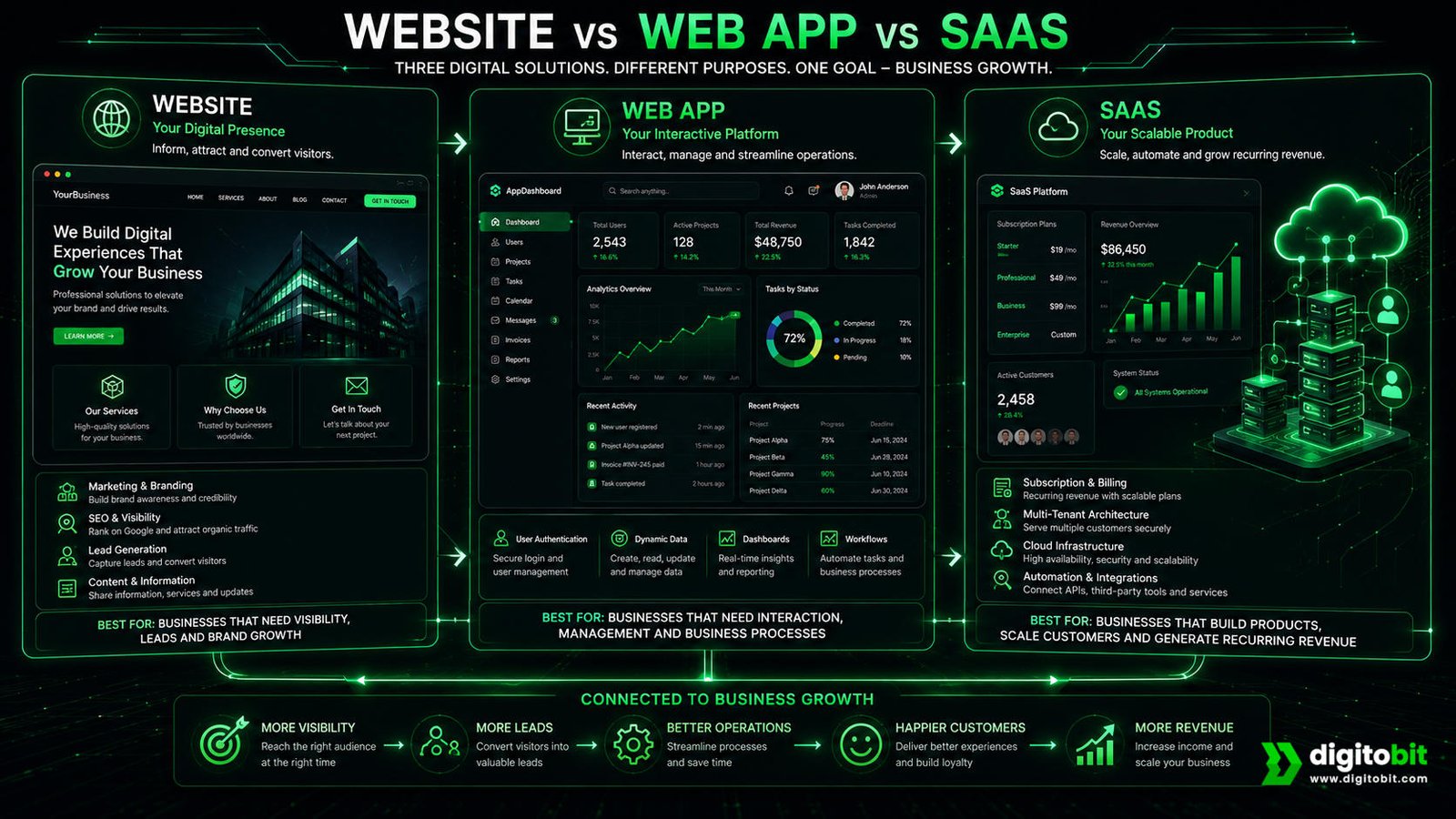
| Type | Main Purpose | Typical User Experience |
|---|---|---|
| Website | Marketing, information, visibility, and conversions | Visitors browse content and take straightforward actions |
| Web App | Interactive tools, workflows, and personalized services | Users log in and actively perform tasks |
| SaaS | Deliver software as an ongoing commercial service | Customers repeatedly use the application, often through subscriptions |
For example, a SaaS company may have a marketing website that explains its product, pricing, features, and benefits. Once customers sign up, they enter a web application where they use the actual software. The website attracts and converts customers; the web app delivers the product; the SaaS model defines how that product is provided commercially.
This distinction matters because a business can need all three. A startup building an online software product may require a high-converting marketing website, a powerful web application, and a SaaS business model that manages subscriptions and customer access.
Why the Difference Matters for Business Planning
Confusing these concepts can lead to unclear project requirements. Saying “we need a SaaS website” does not tell a development team what needs to be built. A better project definition would identify the public website, the application functionality, the customer accounts, the subscription system, and the administrative tools required to operate the product.
Clear requirements make it easier to estimate development effort, prioritize features, define milestones, and control costs. It also helps business owners separate marketing requirements from product requirements.
Simple Website vs Web App Decision Checklist
If you are still unsure whether your business needs a website or a web app, use the checklist below. Your answers should help you identify which direction is most appropriate.
Choose a Website If…
- Your main goal is to generate awareness and leads.
- Customers mainly need to learn about your products or services.
- SEO and Google visibility are important to your growth strategy.
- You need service pages, landing pages, blogs, case studies, or product information.
- Users do not need complex accounts or personalized dashboards.
- You want a simpler and faster digital launch.
Choose a Web App If…
- Users need to log in and access personal information.
- Customers need to repeatedly perform tasks on the platform.
- The system needs databases and structured user information.
- You need dashboards, workflows, automation, or complex calculations.
- Different users require different roles and permissions.
- The application itself is a core part of your product or revenue model.
If your answers are split between both categories, that is completely normal. Your business may need a public website combined with application functionality. For example, the public website can focus on SEO and lead generation while a secure web app handles customer accounts and services.
Ask These Five Questions Before You Build
- What does the customer need to accomplish?
- Does the customer need an account?
- What information needs to be stored and managed?
- Which tasks should the system automate?
- What functionality will genuinely improve revenue or efficiency?
These questions help prevent a common business mistake: paying for technology before clearly defining the problem. The best solution is not necessarily the one with the longest feature list. It is the one that delivers the required customer experience while keeping complexity, cost, and future growth in balance.
Final Verdict: Website or Web App?
So, when comparing a website vs web app, which one is right for your business? The answer depends on what you need your digital platform to accomplish.
If your primary goal is to build credibility, attract visitors from Google, explain your products or services, generate leads, publish content, and give potential customers an easy way to contact or buy from you, a professional website is usually the right starting point.
If your customers need to log in, manage information, complete complex workflows, access personalized dashboards, interact with databases, or repeatedly use software functionality, a web application is likely the better choice.
The most important lesson is that more technology does not automatically mean more business value. Building a complex web app when a website would solve the problem can waste budget and delay your launch. On the other hand, trying to force a complex customer workflow into a basic website can create poor user experiences and expensive limitations later.
For many businesses, the smartest strategy is to start with a strong website and add application functionality as the need becomes clear. This gives the business an opportunity to validate demand, understand customer behavior, generate revenue, and invest in more advanced technology based on real requirements.
Ultimately, the right question is not “Should I build a website or a web app?” It is “What digital experience will help my customers and business achieve the desired result most efficiently?”
Once that question is answered, the technology decision becomes much easier.
Ready to Build the Right Digital Solution?
Choosing between a website and a web app can have a major impact on your development budget, launch timeline, customer experience, and long-term growth. Before investing in development, make sure the solution is aligned with what your customers actually need to accomplish.
Build the Right Digital Solution for Your Business
Digitobit helps businesses turn digital requirements into high-converting websites and scalable web applications designed around real business goals.
Not sure which solution you need? Start with a conversation about your customers, functionality, budget, and growth plans.
Frequently Asked Questions
A website primarily provides information and helps visitors discover, evaluate, and contact a business. A web app is an interactive software application that allows users to perform tasks, manage information, and access personalized functionality through a browser.
Not necessarily. A website is often better for businesses focused on visibility, SEO, branding, information, and lead generation. A web app is better when users need accounts, personalized experiences, data management, workflows, or interactive tools.
A custom web app generally costs more than a comparable business website because it may require authentication, databases, application logic, dashboards, integrations, security, testing, and ongoing maintenance. The actual cost depends on the project’s scope and functionality.
Yes. A business can start with a website and gradually add interactive features, customer accounts, portals, dashboards, workflows, and other application functionality as its requirements grow.
Most small businesses should start with a website if their main goals are building credibility, attracting search traffic, showcasing services, and generating leads. A web app makes more sense when the business requires personalized accounts, complex workflows, data management, or software-based services.
No. A web app describes an interactive software application accessed through a browser. SaaS describes a software delivery and business model in which customers access software as an ongoing service, often through a subscription. A SaaS product can be delivered through a web app.

Author: Neeraj Mourya
Founder, Systems Architect – Digitobit
Specializing in scalable backend architecture and performance-focused SaaS systems